
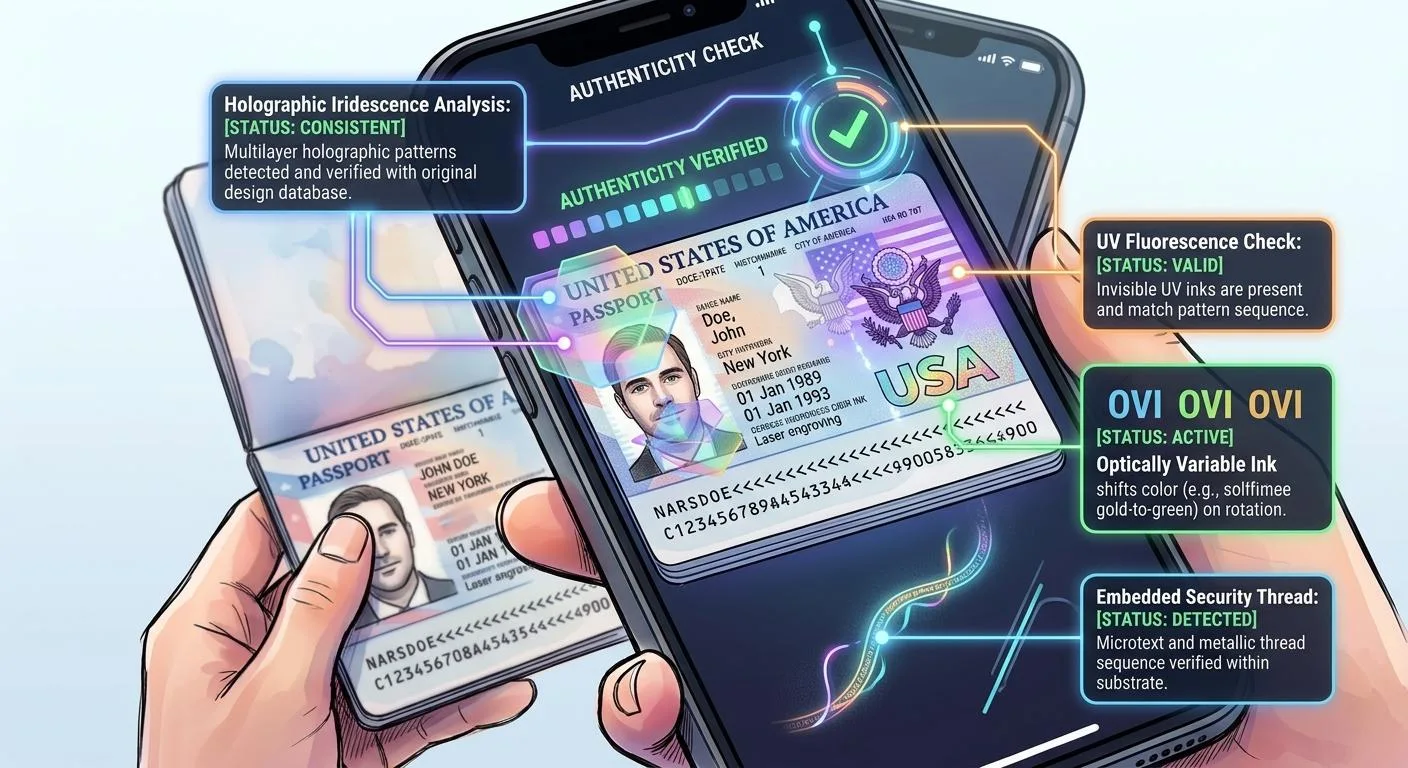
Specialized applications combine document data capture with contactless communication, letting travelers inspect supported chip information.
Washington, DC, October 19, 2026 — Modern smartphones with compatible near-field communication hardware can interact with many electronic passports, letting specialized applications capture document details, establish contactless communication, and display supported chip information directly on the device.
The process combines optical recognition of the passport’s printed machine-readable information with short-range electronic communication, creating a practical way for travelers to inspect certain data stored within supported ePassports without relying upon dedicated border-control hardware.
Smartphone Reading Begins With the Physical Data Page
Most passport-reading applications begin by asking the user to scan the passport’s identity page with the smartphone camera so the software can capture information from the machine-readable zone.
That standardized text contains document details such as the passport number, date of birth and expiration date, which can help the application prepare the values needed for supported electronic access procedures.
The International Civil Aviation Organization’s machine-readable travel document standards define the broader technical architecture, allowing compatible systems to interpret passport information consistently across many issuing countries.
Accurate optical capture matters because even a single misread character can disrupt later communication, making a camera-recognition error appear like an NFC or chip failure.
The Phone Then Switches to Contactless Communication
After obtaining the required printed information, the app prompts the user to hold the smartphone close to the passport so the device’s NFC hardware can communicate with the embedded chip.
The smartphone generates a short-range electromagnetic field that powers the passive passport chip and transmits the commands needed to begin the electronic session.
Because the passport has no conventional battery, successful communication depends on the phone staying close enough for the chip to receive enough energy throughout the reading process.
The user therefore often needs to keep the passport and smartphone relatively still while the application completes access, data retrieval, and any supported authentication checks.
NFC Antenna Placement Varies Between Phones
One practical difficulty with smartphone passport reading is that the NFC antenna isn’t in the same position on every phone model.
Some devices communicate most effectively near the top edge, while others require the center or another portion of the phone to rest over the passport’s chip antenna.
Applications may instruct users to move the device slowly across the booklet until communication begins, especially if the first attempt yields no response.
A failed read due to poor antenna alignment should not be mistaken for a missing or defective passport chip.
Passport Chip Placement Also Varies
The electronic component and antenna can be integrated into different parts of the passport depending upon the issuing authority and document design.
Some passports place the electronic structure within the cover, while others integrate it more closely with the identity page or another section of the booklet.
This variation means a smartphone position that works well with one passport series may not work equally well with another.
Travelers may therefore need to experiment carefully with position while avoiding excessive bending, pressure or manipulation that could damage the document.
Specialized Applications Handle Passport Protocols
A generic NFC application is usually insufficient for meaningful ePassport reading because electronic travel documents use standardized access, file structures, and cryptographic procedures that general-purpose tag readers may not understand.
Specialized passport applications implement the commands needed to communicate with the chip, interpret standardized data groups and, depending upon the software, perform authentication procedures beyond simple data retrieval.
The application must retrieve the relevant information from the physical document, establish the electronic session, and decode the structured contents the chip returns.
This software layer turns a consumer smartphone into a practical electronic passport reader.
The MRZ Can Help Establish Chip Access
Many passport-reading workflows use information from the machine-readable zone to establish access to the electronic document.
Earlier passports may rely upon Basic Access Control, while newer documents can support stronger mechanisms such as Password Authenticated Connection Establishment.
In either case, the application uses standardized document information in a cryptographic process rather than treating the passport chip as an unrestricted contactless memory device.
This relationship between printed information and electronic access helps explain why the smartphone camera scan usually comes before the NFC reading stage.
Basic Access Control May Be Used on Older Documents
Basic Access Control, commonly known as BAC, uses document-derived information to establish protected communication between the passport and reader.
A compatible smartphone application can derive the necessary values from the MRZ and use them during the contactless exchange.
If the captured passport number, date of birth or expiration date is incorrect, the access process can fail even when NFC communication itself is functioning normally.
For that reason, correcting the optical scan can sometimes resolve what initially appears to be an electronic passport problem.
PACE Provides Stronger Access Protection
Newer electronic passports may support Password Authenticated Connection Establishment, commonly known as PACE, which uses stronger cryptographic techniques to create a protected communication channel.
A compatible smartphone application can perform this process automatically after obtaining the necessary document information.
The traveler typically sees only a progress indicator while the phone and passport carry out the underlying cryptographic exchange.
This illustrates how sophisticated electronic-security procedures can operate behind an interface that feels relatively simple to the user.
The Phone Can Display the Stored Facial Image
Once the application gains appropriate access, it can retrieve the digital facial image stored in the passport chip and display it separately from the photograph captured by the smartphone camera.
This distinction helps travelers understand that the electronic portrait comes from the passport’s internal data rather than from the phone merely photographing the physical identity page.
Some applications can then compare the stored chip portrait with a newly captured live image of the user, although that biometric comparison represents a separate function from reading or authenticating the passport itself.
A recognizable digital portrait therefore confirms data retrieval but does not automatically prove full government authentication.
Biographical Information Can Also Be Displayed
The passport chip can store standardized biographical information that matches details on the physical data page, allowing applications to display names, document numbers, nationality, and other supported fields.
Comparing those electronic details with the printed page can help identify obvious inconsistencies between the document’s physical and digital representations.
A close match provides useful information, but matching data alone should not be treated as conclusive evidence that the passport was issued legitimately.
Professional authentication goes further by examining digital signatures, certificate trust, physical document construction, and current passport status.
Reading Is Different From Authentication
One of the most important distinctions in smartphone passport use is the difference between retrieving chip data and validating the cryptographic protections behind that data.
An application may successfully display the electronic portrait and biographical information while performing only limited or incomplete authentication.
More advanced software can perform Passive Authentication, checking whether protected data remains consistent with the digital signature stored inside the document.
Travelers should therefore understand exactly what an application means when it labels a passport as successfully read, verified or authenticated.
Passive Authentication Adds Integrity Checking
A capable application can calculate cryptographic hashes from the retrieved passport data and compare them with values protected inside the signed security structure.
If those values match and the digital signature validates correctly, the application has evidence that the protected electronic information has not changed since legitimate personalization.
This is a much stronger result than merely showing the chip’s contents.
However, the verification remains only as meaningful as the certificate trust available to the application.
Certificate Trust Can Limit Smartphone Results
A smartphone application may perform cryptographic calculations correctly but lack full access to the trusted certificate information needed to establish the issuing authority’s full governmental trust chain.
This limitation can produce incomplete or uncertain results even when the passport itself is genuine.
Professional border systems generally operate within more carefully managed certificate environments that receive updates from governmental and international sources.
The ICAO Public Key Directory helps participating authorities exchange certificate information used to validate electronic passports across international borders.
Consumer Apps Do Not Replace Border Systems
A smartphone passport reader can provide useful information, but it does not reproduce the entire verification environment available to government border authorities.
Official systems can combine cryptographic authentication with document-status databases, immigration records, biometric checks, and country-specific physical inspection procedures.
A consumer application normally has access to only a subset of those capabilities.
Travelers should therefore treat smartphone reading as an informative personal inspection tool rather than as a substitute for authoritative government verification.
Failed Scans Can Have Several Causes
A smartphone may fail to read a genuine passport because of incorrect positioning, camera-recognition errors, software incompatibility, antenna damage, protective phone cases or interruptions during the electronic session.
Even small movements can disrupt the contactless link because the phone’s electromagnetic field provides both power and communication to the passport.
Repeating the process with better alignment or corrected MRZ information can sometimes resolve the issue.
A persistent failure may warrant further investigation, but one unsuccessful attempt alone does not prove the passport lacks a functioning electronic chip.
Protective Cases Can Affect Communication
Some thick, metallic or magnetically equipped smartphone cases can weaken NFC communication and make passport reading less reliable.
Removing the case can sometimes improve coupling between the phone’s antenna and the passport’s embedded antenna.
Likewise, placing the passport on a metal surface during scanning can interfere with the radio-frequency field and reduce communication performance.
These practical factors show why you should diagnose electronic reading problems carefully before drawing conclusions about the document itself.
Physical Passport Damage Can Affect NFC Reading
Severe bending, cracking or other physical damage can interfere with the antenna or internal electrical connections that support electronic communication.
A passport may therefore remain visually intact in some areas while becoming difficult or impossible to read electronically.
Because the antenna can extend across a larger area than the chip itself, damage away from the apparent electronic component can still affect NFC performance.
Professional examination may therefore consider both the booklet’s physical condition and its electronic behavior when investigating persistent reading failures.
Different Passport Generations Support Different Protocols
Electronic passport technology has evolved over time, so applications must support several generations of access and authentication mechanisms to work reliably across international documents.
An older passport might use BAC, while a newer passport from the same country may support PACE, Chip Authentication or other advanced procedures.
A smartphone application that lacks support for one of those mechanisms may fail or provide only partial results.
This variation explains why application compatibility matters even when the phone itself has fully functional NFC hardware.
Some Biometrics May Remain Inaccessible
Facial images are widely used in electronic passports, but additional biometrics such as fingerprints may have stronger access controls depending on the issuing country.
A consumer smartphone can therefore read the face and biographical information but cannot retrieve more sensitive biometric records.
This restriction does not indicate an application malfunction because the passport may require specialized governmental authorization before releasing those data.
Modern ePassport systems deliberately separate ordinary interoperable information from biometrics that national policies consider more sensitive.
Privacy Depends on the Application as Well as the Passport
The passport’s access-control and secure-messaging protocols help protect the short-range electronic exchange, but users should also consider what the smartphone application does with information after reading it.
Some applications may process passport data locally, while others could send information to external servers for analysis or storage.
The ePassport itself cannot control how an unrelated application handles data once it legitimately obtains it.
Travelers should therefore review privacy practices and use reputable software when scanning highly sensitive identity documents.
Local Processing Can Reduce Unnecessary Exposure
Applications that perform optical recognition, NFC reading and authentication locally on the device can reduce the number of external systems receiving passport information.
This design can be preferable from a privacy perspective when the user’s goal is simply to inspect their own document.
Local processing doesn’t guarantee complete security, but it limits a major source of unnecessary data transmission.
Travelers seeking a broader explanation of electronic passport security can review the Amicus International Consulting guide to modern passport security and counterfeit detection, which examines how chip and physical checks work together.
Smartphone Facial Comparison Is a Separate Check
Some applications ask the user to take a selfie after reading the passport so the software can compare the live image with the facial portrait stored in the chip.
This can provide a useful identity-consistency check, but it should not be confused with cryptographic passport authentication.
A strong facial match does not prove that a legitimate issuing authority signed the underlying chip data.
Likewise, a valid passport can produce an imperfect facial-comparison result because of lighting, image quality, appearance changes or other operational factors.
Smartphones Make ePassport Technology More Visible
For many travelers, smartphone apps offer the first chance to see the digital information border systems have read from ePassports for years.
Displaying the chip portrait and biographical data makes the electronic architecture less abstract and helps users distinguish between physical printing and stored digital information.
This accessibility can improve awareness of passport security, provided users do not confuse a successful consumer read with a complete governmental verification.
The smartphone effectively becomes a useful educational and inspection tool rather than an authoritative border-control system.
Electronic Reading Should Complement Physical Inspection
A smartphone can reveal information that the eye cannot see, but it cannot independently evaluate every hologram, watermark, microprinted feature or structural characteristic within the physical booklet.
Travelers can therefore combine electronic reading with a careful visual examination when checking their own passports’ condition.
Professional inspectors go further by comparing the physical document against country-specific references and combining those observations with government systems unavailable to consumers.
The strongest passport verification environment therefore remains one in which physical, electronic and authoritative data sources reinforce one another.
Smartphones Turn Complex Standards Into a Simple User Experience
Behind a relatively simple sequence of scanning the MRZ and holding a phone against the passport, specialized applications can perform optical recognition, contactless power transfer, encrypted communication and structured electronic data retrieval.
More advanced software can add digital-signature verification, biometric comparison and other cryptographic procedures depending upon the passport and application capabilities.
This complexity is largely hidden from the traveler, making the process appear much simpler than the underlying international standards would suggest.
For legitimate passport holders, smartphones therefore offer a practical window into electronic travel-document technology while showing that reading supported chip information is only one part of the much broader passport-verification process.